
Azure Blob Storage
DLH.io documentation for Azure Blob Storage
Azure Blob Storage is Microsoft’s object storage solution for the cloud. Users can create data lakes with Azure Blob Storage to support their analytics needs, and it also offers storage so you can design robust mobile and cloud-native applications.
Pre-Requisites:
- Access to your Azure portal services
- Ability to create a Blob Storage
- Ability to update your Azure network firewall
- Ability to test with private or public secured containers
Setup Instructions
Follow the setup steps guide for configuring your Azure Blob Storage connection to enable data to flow into your destination via DLH.
Supported Features
Here are key features supported for this connector.
| Sync Feature | Supported | Details |
|---|---|---|
| Custom Data and Development | ✓ | Ability to enhance connector upon request |
| Historical Re-Load/Load | ✓ | |
| Incremental/Delta Load | ✓ | Gets most recent records and changes |
| Column Selection | ✓ | |
| Column Hashing | ✓ | |
| Re-Sync Table/Entity | ✓ | Select at the table level to reload data history (on next Sync Bridge run) |
| Custom Queries | Utilizing SQL Data Query Connector | |
| Custom Data | ||
| Captures Deleted Rows | ✓ | On all supported tables |
| API Sync Bridge Initiation | ✓ | |
| Priority Scheduling | ✓ | |
| Private VPC/Link | ☂ | |
| DLH Data Model Available | - |
If you have any questions about these supported features please reach out to our Customer Support team.
Details on Sync Processing
For this connector, we believe the sync processing is straightforward. We've provided a number of details, steps, and other guidance here and in the setup steps guide. Be sure to also check the change log and notes page from time to time for any changes.
Public vs. Private Containers
DLH.io works with both private and public security on the containers. If for some reason during testing you have an issue connecting to a private configured container, please test with a public access configured container. This will ensure that you have confirmed that security is not a problem or if there is some other issue with how you have configured your access credential or container when provided it for your DLH.io blob storage connector setup. If there any questions please contact Customer Support .
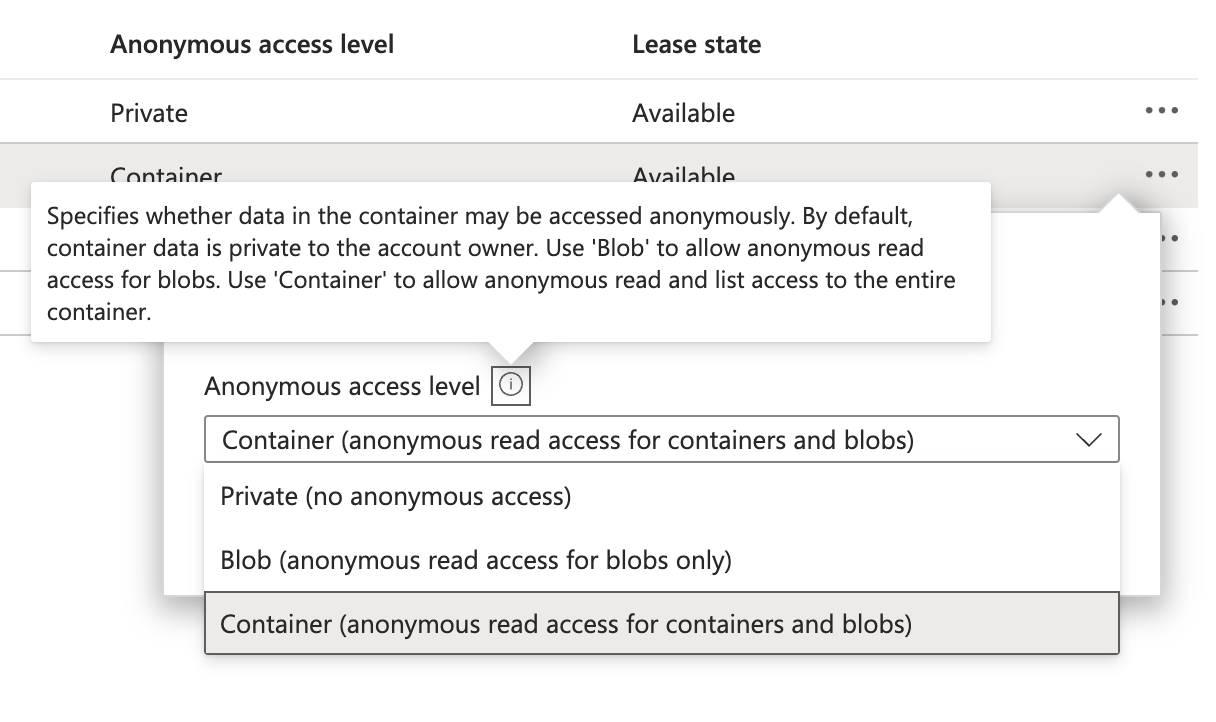 Container Access Level
SAS Token Security Permission Levels
Your Azure Blob Storage access policy and your permissions shouls be set for the least permissive access. However, DLH.io requires the following permissions on the container when creating the SAS Token(s), in order to validate (test) a connection each time:
- Read, List
And, when used as a target destination connection it requires the permissions:
- Read, Add, Create, Write, Delete, List, and Move
If you are unclear on how to create a Shared Access Token, or what it is, please review the Microsoft Blob Storage Container documentation on SAS Token Creation.
 Shared Access Token Permissions Example