
Databricks
DLH.io documentation for Databricks
Databricks a composible data lake and lakehouse architecture platform that runs on all major cloud vendor systems to enable ML, AI, Data Warehousing, and Data Science capabilities from develop through to production lifecycles.
Setup Instructions
Follow the setup steps guide for configuring your Databricks connection to enable data to flow into your destination via DLH.
Supported Features
Here are key features supported for this connector.
| Sync Feature | Supported | Details |
|---|---|---|
| Custom Data and Development | ✓ | Ability to enhance connector upon request |
| Historical Re-Load/Load | ✓ | |
| Incremental/Delta Load | ✓ | Gets most recent records and changes |
| Column Selection | ✓ | |
| Column Hashing | ✓ | |
| Re-Sync Table/Entity | ✓ | Select at the table level to reload data history (on next Sync Bridge run) |
| Custom Queries | Utilizing SQL Data Query Connector | |
| Custom Data | ||
| Captures Deleted Rows | ✓ | On all supported tables |
| API Sync Bridge Initiation | ✓ | |
| Priority Scheduling | ✓ | |
| Private VPC/Link | ☂ | |
| DLH Data Model Available | - |
If you have any questions about these supported features please reach out to our Customer Support team.
Details on Sync Processing
For this connector, we believe the sync processing is straightforward. We've provided a number of details, steps, and other guidance here and in the setup steps guide. Be sure to also check the change log and notes page from time to time for any changes.
Issue Handling
If any issues occur with the authorization simply return to the sources page in DLH.io, edit the source details and click the Save & Test or Authorize Your Account or Re-Authorize Account button to confirm connectivity. If any issues persist please contact our support team via the DLH.io Support Portal.
Creating an OAuth M2M Credential (ID + Secret)
Before you can use OAuth to authenticate to Databricks, you must first create an OAuth secret, which can be used to generate OAuth access tokens. A service principal can have up to five OAuth secrets. Account admins and workspace admins can create an OAuth secret for a service principal.
The secret will only be revealed once during creation. The client ID is the same as the service principal’s application ID.
DLH.io will only use your credentials for access the workspace, focused on creating only the necessary objects required for the data synchronization process, otherwise read-only schema or data references, not to conduct operations at the account level.
To enable the service principal to use clusters or SQL warehouses, you must give the service principal access to them. See Compute permissions or Manage a SQL warehouse.
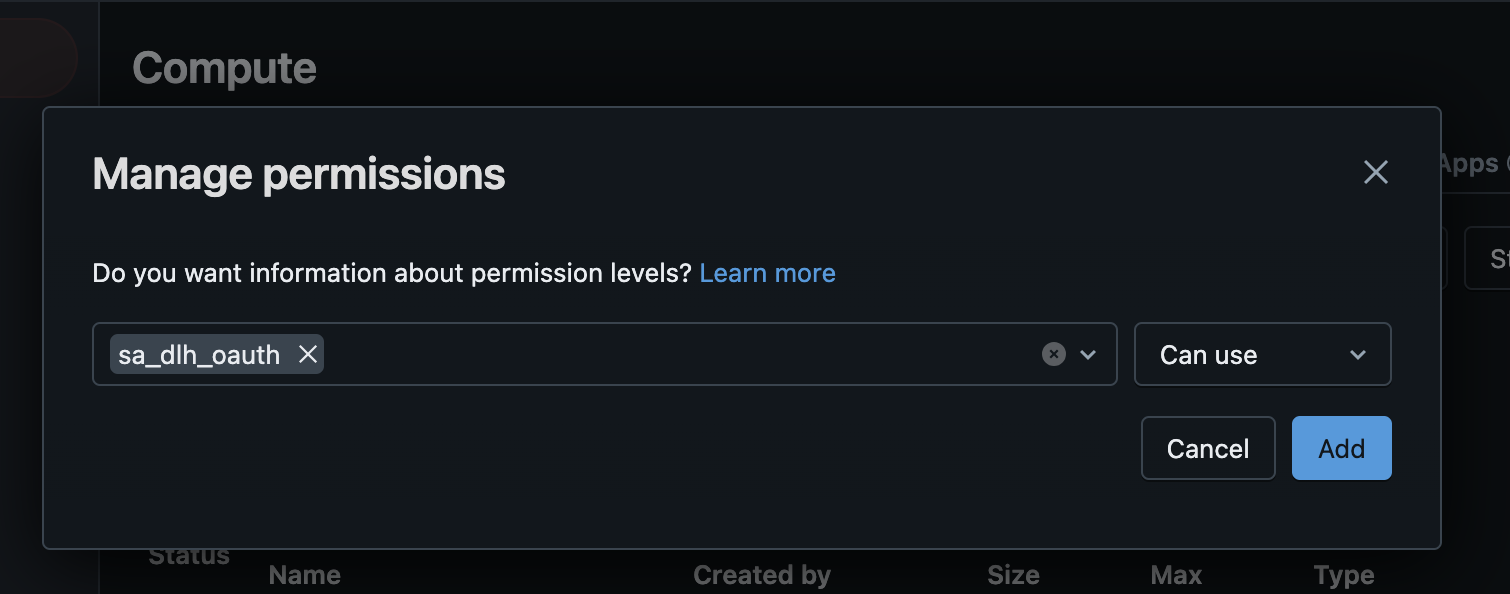
For a SQL Warehouse, provide the CAN USE permission at a minimum. To understand the security ACL, visit this link, https://docs.databricks.com/en/security/auth/access-control/index.html#sql-warehouses
For a Compute / Cluster add minimum permission of Can Restart.
The Can Restart permission is necessary if your Cluster terminates (auto shutsdown, etc.) and you need for the user or service provider account to start up the Computer when DLH.io sync bridges initiate the synchronization process. If your Compute is up most of the time and you wish to have a slightly lower security permission you can use the Can Attach To permision, however, DLH.io will not be able to re/start the Compute if it is down or terminated for any reason.
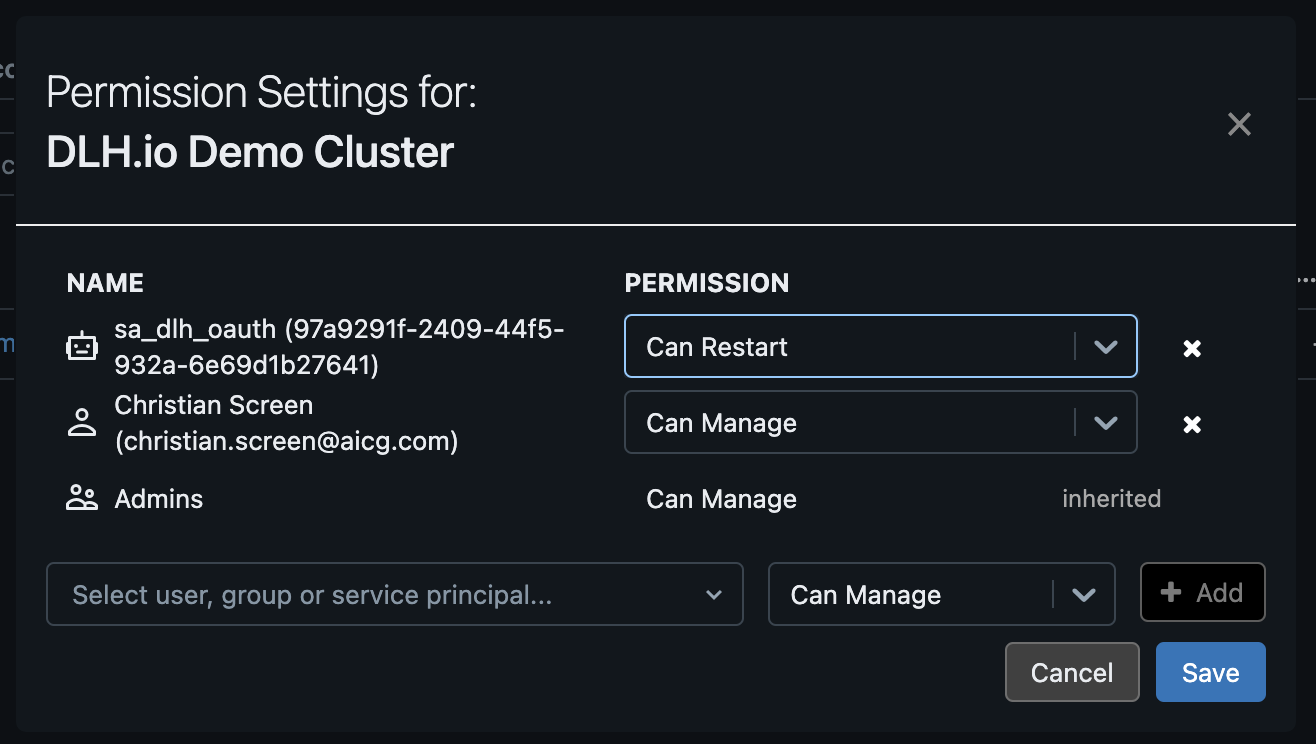
Failure to provide the correct permission level may result in the following error:
PERMISSION_DENIED: You do not have permission to autostart
or
PERMISSION_DENIED: User does not have USE SCHEMA on Schema