
Staffing & Recruiting Analytics
DLH.io documentation for Staffing & Recruiting Analytics
The most popular analytics offering in DLH.io allows the viewing of comprehensive Snowflake costs
Recruitment KPIs are used to measure recruitment performance and process. They can find areas for improvement and show value and return on investment for specific recruiting efforts. In addition, our historical analysis uses information gathered from tracking individuals over time, concentrating on events occurring for the individuals.
Data analytics tools provide deeper insight on Staffing & Recruiting Analytics KPIs. This is where DLH.io comes into play.
Pre-Install Items
Create a Source & Target Connector
Source Connectors
- Create a Source Connector to Bullhorn to Bullhorn that will be used for creating and running the Sync Bridge.
- Create a Source Connector to Verizon Wireless
Target Connector
- Create a Target Connection to your Snowflake, BigQuery, Teradata database.
Install the Package
Install the Staffing & Recruiting Analytics package by following the Access Analytics steps with a user who has the ORG_ADMIN role in DLH.io.
View the Dashboard
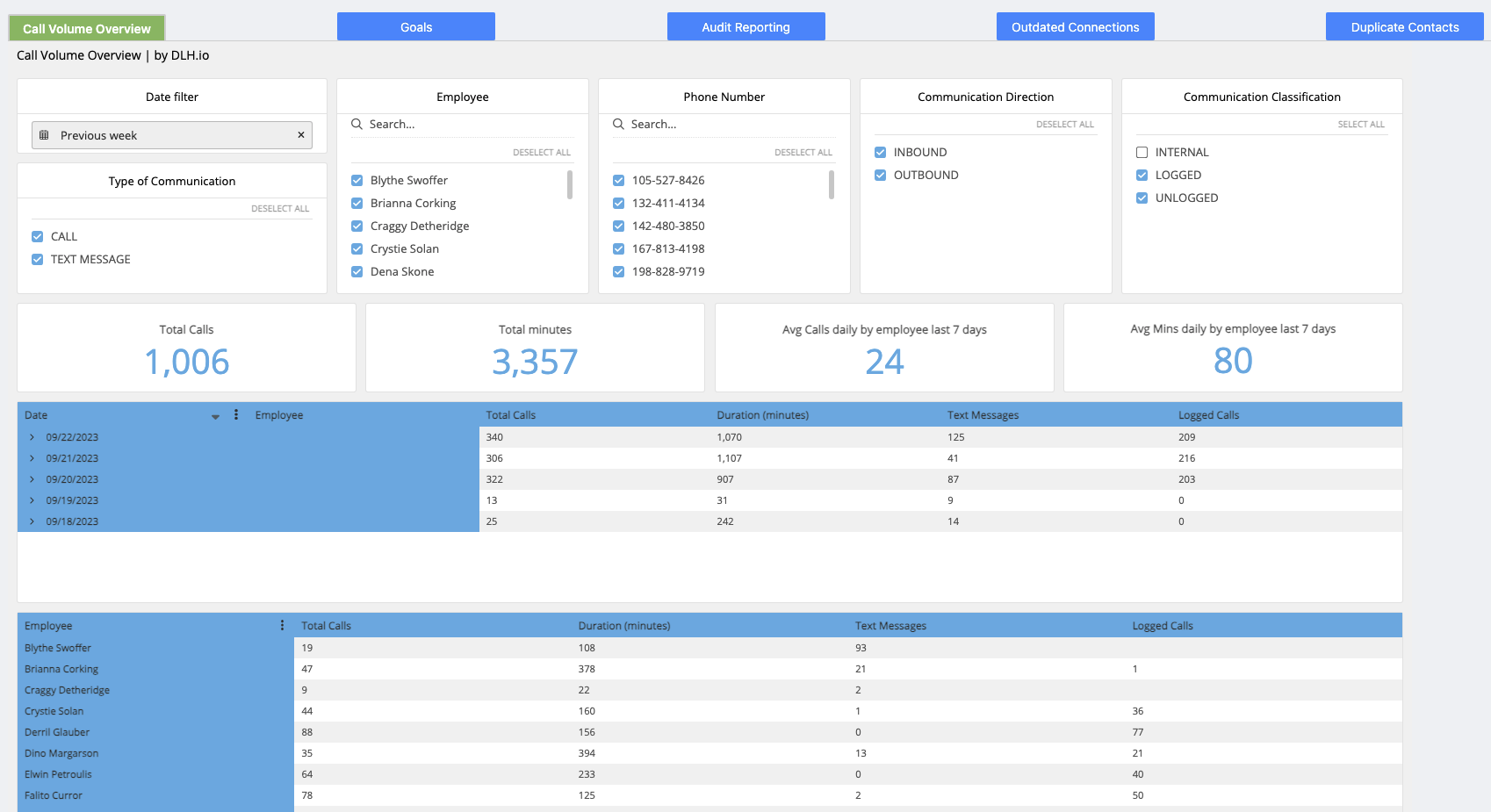
The dashboard will look similar to the image below; however, it will show with your data.
Issue Handling
If any issues occur with the authorization simply return to the sources page in DLH.io, edit the source details and click the Save & Test or Authorize Your Account or Re-Authorize Account button to confirm connectivity. If any issues persist please contact our support team via the DLH.io Support Portal.