
Setup Steps
DLH.io Setup Guide for Facebook Ads
Prerequisites
To connect Facebook Ads to DLH.io, you need:
- An active Meta Ads Manager account with the following permissions for accounts you'd like to sync:
- ads_read
- Permission to sync Ads report information for Ad accounts that you own or Ad accounts that you have been granted access to through this permission
- ads_management
- Permission to sync Ads accounts' metadata. This permission is also used to request the id and account_timezone fields of Ad accounts. The account_timezone field is required to save the correct report date in the destination.
- business_management
- Permission to sync Business fields. Every field that starts with the business prefix will be skipped if this permission isn't granted.
- ads_read
Setup Instructions
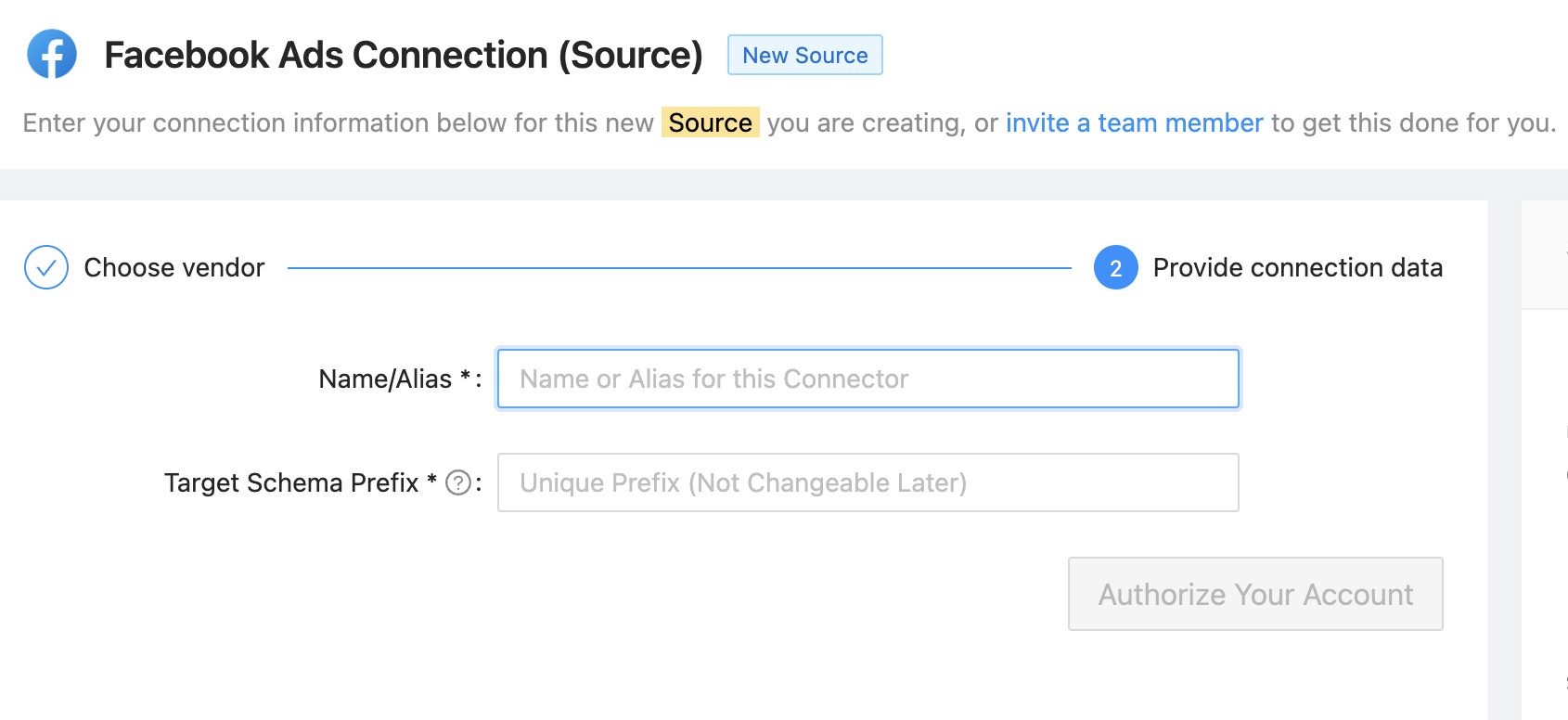
DLH.io securely connects to your Facebook Ads account. Using the form in the DLH.io portal please complete the following steps:
- Enter a Name or Alias for this connection, in the 'Name/Alias' field, that is unique from other connectors.
- Enter in the 'Target Schema Prefix' field, a name that will be unique in your cloud warehouse destination database where you wish to replicate the data.
- Click the Authorize Your Account button which will save the connection.
 Connect to Facebook Ads